If you run a small business site, a landing page, an online store, or even a simple portfolio, there is a good chance you are losing messages from people who were interested enough to ask a question, but not interested enough to fill out a contact form.
That is exactly where a free WhatsApp chat widget for website use starts making sense.
Instead of sending visitors through a clunky contact flow, you give them a familiar chat bubble they can click right away. No extra friction. No hunting for your email address. No “I'll message them later” moment that usually turns into nothing. For beginners, that matters more than people think.
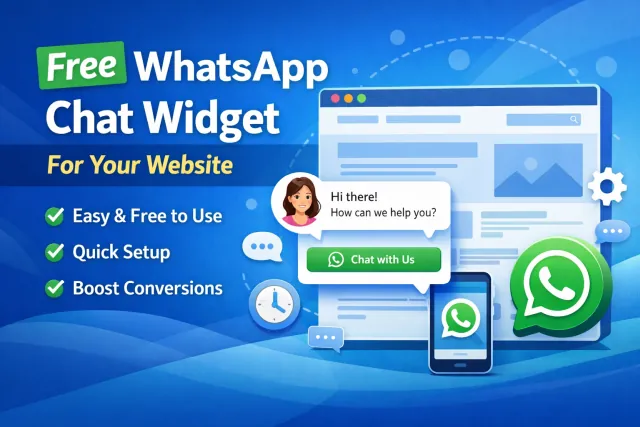
A lot of site owners start with forms because forms feel “standard.” The problem is that standard does not always convert. For many visitors, especially on mobile, a quick chat feels easier, faster, and more natural than typing into a long form and waiting for a reply.
What Is a WhatsApp Website Widget?
In simple terms, a WhatsApp website widget is a floating button or chat bubble that appears on your site and opens a WhatsApp conversation when a visitor clicks it.
You will also hear people call it a click-to-chat widget, WhatsApp chat bubble, or WhatsApp button for website. Different name, same idea: you make it ridiculously easy for a visitor to contact you.
And that is really the whole game here. Not adding “another feature” to your site. Removing friction.
A good widget feels lightweight. It does not need to look like a bulky enterprise support suite. It just needs to be visible, clear, mobile-friendly, and easy to use. That is why this kind of tool has become a go-to move for freelancers, agencies, ecommerce stores, local service businesses, coaches, and pretty much any webmaster who wants more inbound leads without overcomplicating the stack.
Why Beginners Prefer a WhatsApp Widget Over Traditional Live Chat
For a beginner, a full live chat platform can be overkill.
You sign up, get hit with a huge dashboard, bots, inbox rules, agent settings, automations, triggers, handoff flows, and suddenly a “simple chat tool” turns into a mini project. That is fine for larger teams. It is not always great for a solo founder, a local business, or someone launching their first site.
A WhatsApp widget is different.
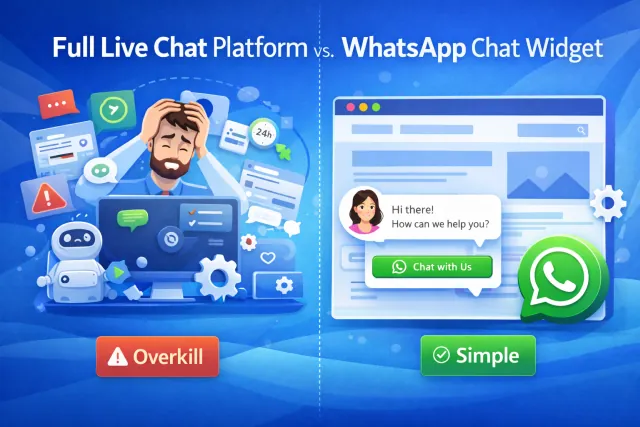
It is closer to a no-code shortcut than a full customer support system. You drop in a snippet, style the bubble, maybe add a preset message, and go live. That is a much lower lift. It is also easier to maintain.
A plain wa.me link can work too, but it is pretty bare-bones. It is easier to miss, it does not feel as polished, and it gives you less control over how the contact CTA fits into the page. A proper widget usually looks cleaner and works better for UX.
Why This Helps Conversions
There is nothing magical about a chat bubble by itself. It works because it meets people at the exact point where intent is building.
Someone is reading your pricing page. They have one question.
Someone is checking your service page. They want a quick quote.
Someone is on mobile. They do not want to type into a form.

That is where a WhatsApp widget earns its keep.
It helps with:
- reducing conversion friction
- catching high-intent visitors before they bounce
- making your site feel more approachable
- giving mobile users an easy contact path
- turning “maybe later” into “message now”
A lot of webmasters obsess over traffic, but traffic without an easy contact path is leaky. Sometimes a simple floating CTA does more for lead gen than another redesign pass.
Is a Free WhatsApp Chat Widget for Website Use Actually Enough?
For a lot of websites, yes.
And honestly, this is the part many beginners overthink.
If your website is still growing, the free plan is often enough to validate whether visitors even want to contact you through WhatsApp in the first place. That makes it a solid fit for:
- new business websites
- freelancer portfolios
- niche service sites
- one-page landing pages
- local businesses with moderate traffic
- side projects and MVPs
WApp Chat is especially easy to position here because the service offers a free forever plan, which lowers the barrier to testing. That is exactly what many beginners need: not a huge commitment, just a fast way to launch and see if the channel works.
There is another practical detail that matters a lot. WApp Chat counts views based on page loads where the widget is installed, not by clicks or unique visitors. So if you are trying to stretch a free plan, the smart move is not “put the widget everywhere and hope.” The smart move is to be selective.
That is why the free tier can be enough not only for low-traffic sites, but also for selected pages on medium-traffic sites.
Put it on the pages where intent is highest: your pricing page, contact page, service page, product page, or your best-performing landing page.
That way, you are not wasting views on low-value URLs. You are focusing the widget where it can actually produce conversations.
Why WApp Chat Makes Sense for Beginners
One thing beginners usually want is simple setup.
That is where WApp Chat feels practical rather than bloated. The basic flow is straightforward: choose a template, customize the widget, copy the code, and add it to your website. No heavy dev work, no complicated setup rabbit hole.
It also works with the kinds of platforms beginners already use, including WordPress, Wix, Shopify, Webflow, Squarespace, HTML websites, and other common builders. So there is no need to rip up your stack just to add a chat bubble.
Another useful point: WApp Chat documentation specifically mentions control over display rules by page and device, and also notes that timing matters. In practice, that is huge for making a widget feel helpful instead of annoying.
A Smarter Way to Use the Free Plan
A lot of site owners make the rookie mistake of installing the widget sitewide on day one and showing it instantly on every page.
That is usually not the best play.
A smarter approach is this:
- Start with one or a few money pages.
- Use a clear CTA like “Chat with us on WhatsApp.”
- Add a short pre-filled message.
- Delay the widget slightly instead of blasting it immediately.
- Test the mobile experience first.
WApp Chat's own guidance points in that direction too: it is possible to install the widget on a single page or across all pages, which means you do not have to go all-in from the start. You can roll it out in a more controlled way.
That matters for both UX and budget.
If your website gets moderate traffic, putting the widget only on high-intent pages can make the free plan last much longer. And from a conversion standpoint, that is often better anyway. The best widget placement is not “everywhere.” It is “where the visitor is most likely to reach out.”
WApp Chat Pricing
Timing Matters More Than Most People Think
This is one of those small tweaks that separates a clean setup from a messy one.
Showing the widget the second a page loads can feel aggressive. It can read like a popup, even if it technically is not one. In many cases, letting the visitor spend a few seconds on the page first works better.
WApp Chat's own content mentions that showing the widget after 5-10 seconds often performs better than showing it instantly. That lines up with how real users behave. People want a second to orient themselves. They do not want to get hit with an interrupt before they have even scanned the page.
A small delay makes the widget feel less pushy and more contextual.
Common Mistakes to Avoid
A WhatsApp widget is simple, but it is still easy to mess up.
Here are the usual mistakes:
- no greeting or weak CTA
- wrong phone number format
- widget blocking important buttons or navigation
- poor mobile placement
- showing it on irrelevant pages
- making it too flashy or too “salesy”
The sweet spot is simple: visible, helpful, on-brand, and easy to dismiss.
You want the widget to feel like a shortcut, not like a gimmick.
Final Thoughts
If you are searching for the best free WhatsApp chat widget for website use, you probably do not need a giant support platform. You need something that is easy to launch, easy to manage, and good enough to start real conversations.
That is why a focused tool like WApp Chat makes sense.
It gives beginners a realistic starting point: a free forever entry option, a no-code setup, clean widget customization, and enough control to decide where the widget appears and when it shows up. For low-traffic websites, that may be all you need. For medium-traffic projects, it can still be a very workable setup if you place it only on the pages that matter most.
And really, that is the smart move.
Do not overengineer the contact flow.
Do not turn your site into dashboard chaos.
Start simple, put the widget where buyer intent is highest, and let your visitors message you in a channel they already trust.
For a lot of beginner websites, that is more than enough to get the first real chats rolling in.