Integrating the Wapp Chat Widget into your Joomla website is a simple way to increase visitor engagement and improve customer support. Once installed, visitors can contact you instantly via WhatsApp from your site.
Before you begin, make sure you've created your widget and copied the installation code from your WApp Chat dashboard
Step-by-step guide for getting the code of the Wapp Chat widget
Choose How You Want to Display the Widget
Install to the single page
Log in to your Joomla administrator panel.
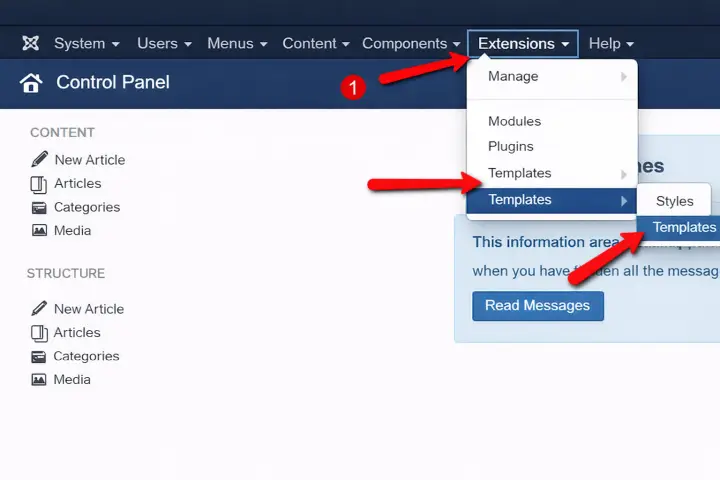
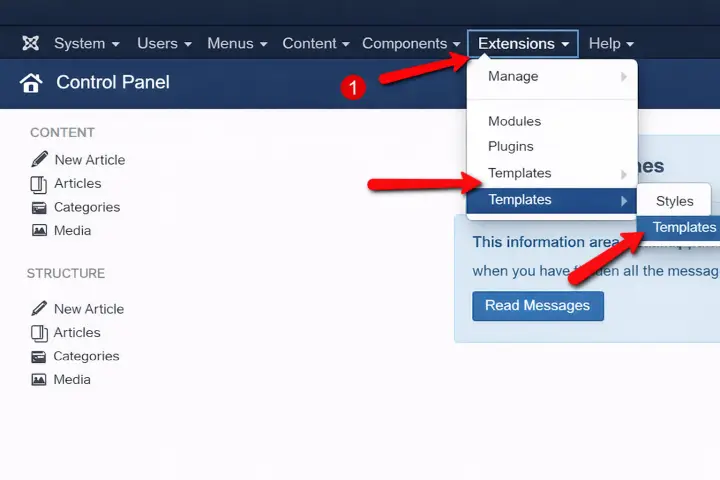
Navigate to Extensions -> Templates -> Templates.
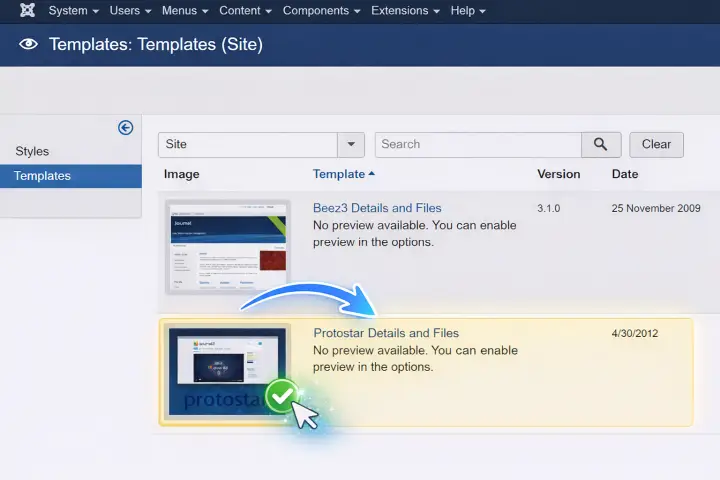
Select the template currently active on your website.
Step 1: Access Template Settings
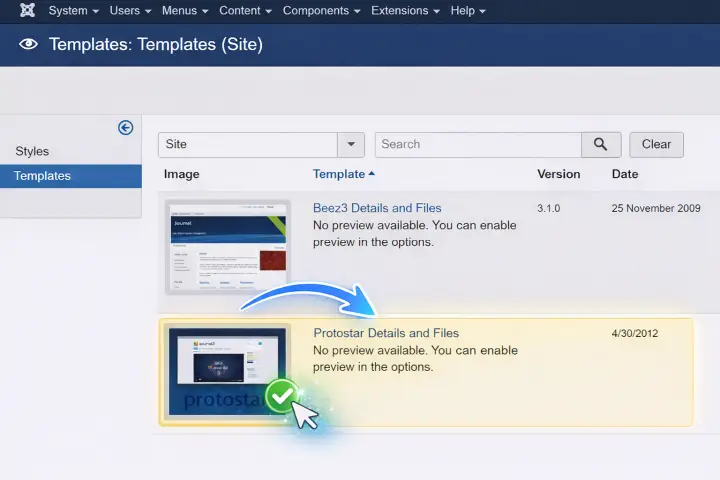
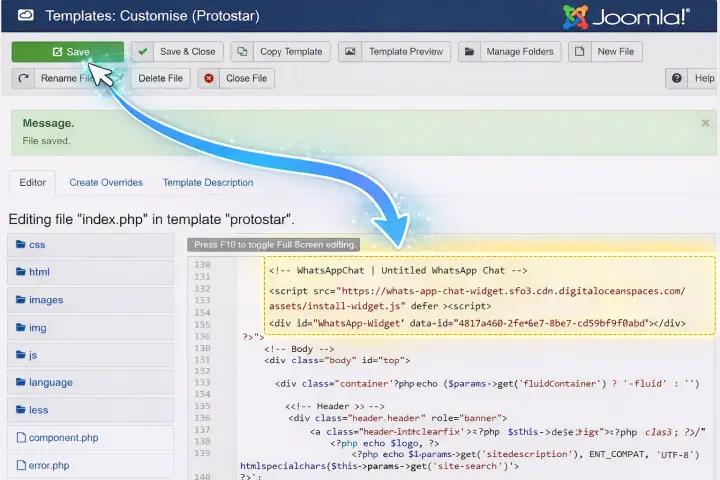
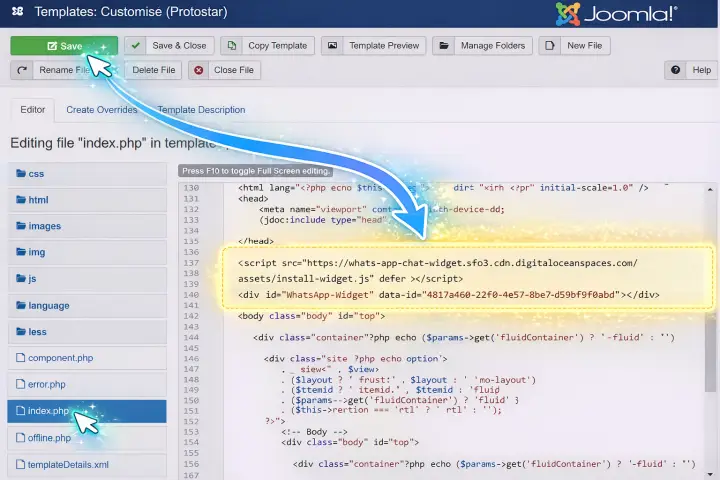
Locate and open the index.php file.
Find the <body> tag and paste the first part of your Wapp Chat Widget installation code immediately after the relevant opening container.
Click Save to apply the changes.
Step 2: Add the Initial Script
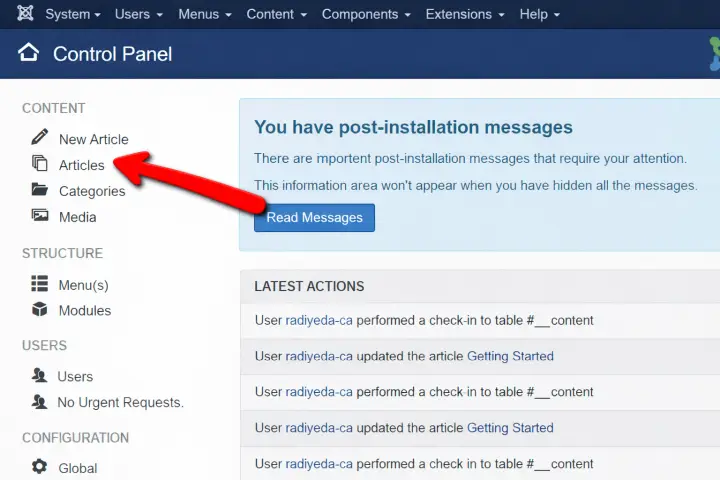
Return to your Joomla Control Panel.
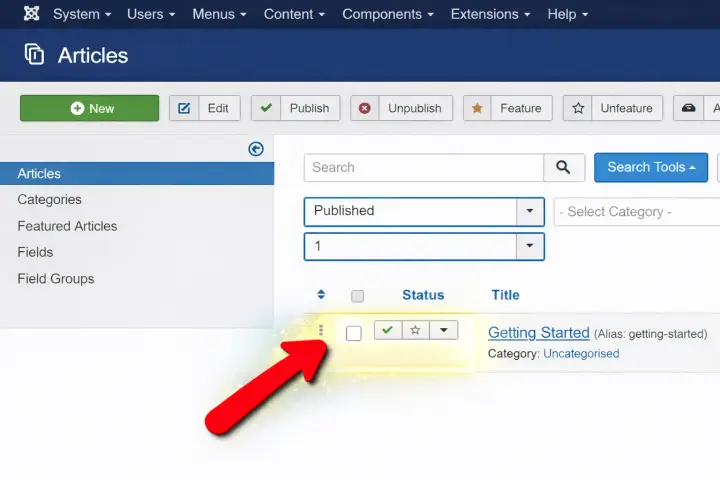
Navigate to Content -> Articles and select the specific page where you want the chat widget to appear.
Step 3: Select Your Target Page
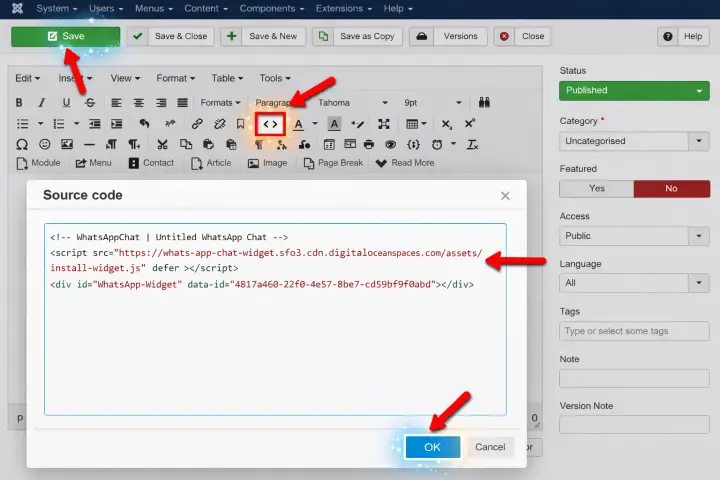
In the article editor, click the HTML Code or Source Code icon.
Paste the second part of your installation code into the editor.
Click OK and then Save.
Your custom chat widget is now live on that specific page, ready to capture leads and assist your visitors!
Step 4: Insert the Widget Code
Install to the All pages
If you want the widget to appear across your entire site:
Log in to your Joomla administrator panel.
Go to Extensions → Templates → Templates and select your active template.
Step 1: Access Template Settings
Open the index.php file.
Find the <body> tag and paste your complete Wapp Chat Widget code immediately after the relevant opening container.
Click Save.
Success! The Wapp Chat Widget is now active on every page of your Joomla website providing your visitors with a reliable, 24/7 communication channel.
Step 2: Inject the Installation Code
You're All Set 🎉
Your WhatsApp chat widget is now active on your Joomla website. Visitors can reach you instantly via WhatsApp directly from your site.
You can customize the widget's appearance, position, and behavior anytime in your Wapp Chat dashboard.
Need help with setup? Our support team will gladly assist you.
support@wapp-chat-widget.com