Adding a WhatsApp chat widget to your Squarespace site takes just a few minutes and requires no coding. Once installed, visitors can contact you instantly via WhatsApp from any page of your website.
Before you begin, make sure you've created your widget and copied the installation code from your WApp Chat dashboard
Step-by-step guide for getting the code of the Wapp Chat widget
Choose How You Want to Display the Widget
Install to the single page
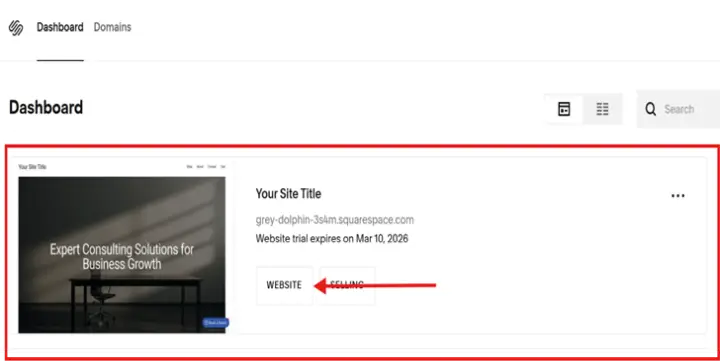
Log in to your Squarespace account.
Select the website where you want to install your chat widget.
Step 1: Access Your Site Settings
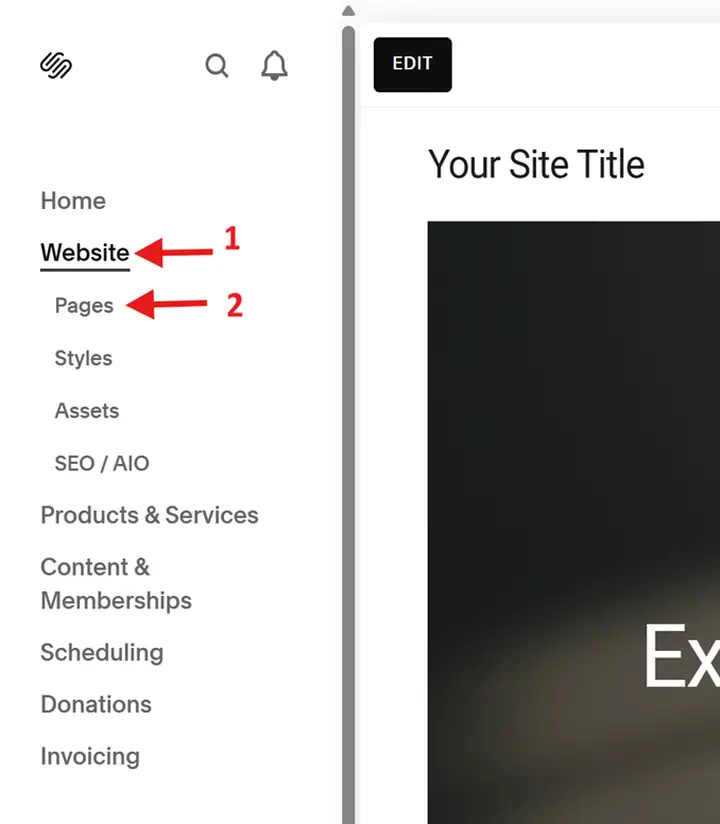
In the left-hand menu, click Website > Pages
Step 2: Open the pages Editor
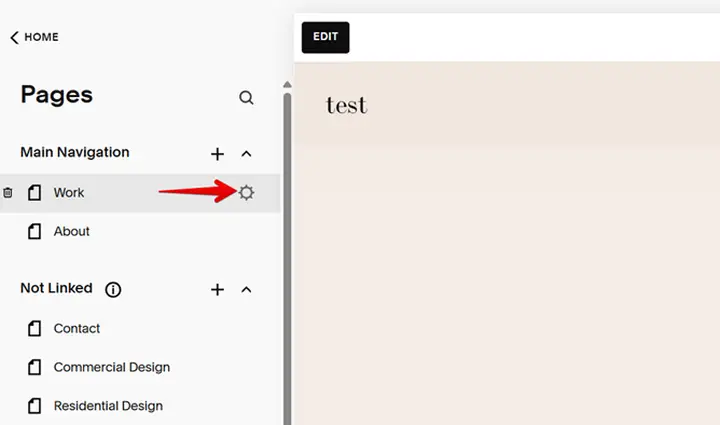
Click Locate the specific page where you want the chat functionality to appear.
Hover over the page title and click the Gear icon to open the Page Settings menu. Update.
Step 3: Open the Page Settings
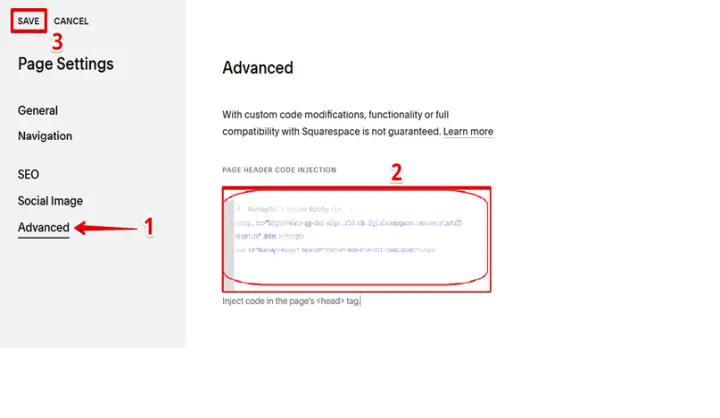
Navigate to the Advanced tab.
Paste your unique chat widget installation code into the Page Header Code Injection field.
Once finished, click Save to apply the changes to your site.
Step 4: Insert the Installation Code
Install to the All pages
If you want the widget to appear across your entire site.
Log in to your Squarespace account and select the website where you want to install the widget.
Step 1: Open Your Squarespace Dashboard
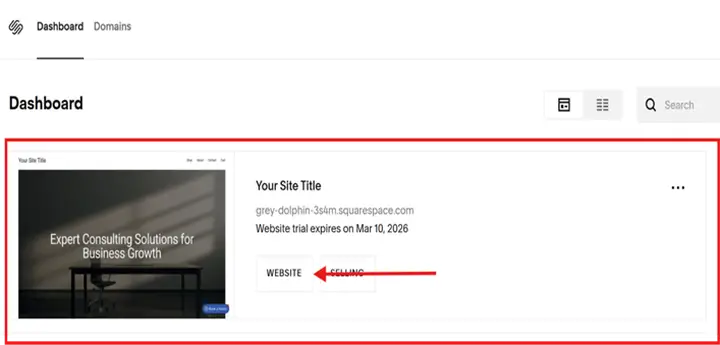
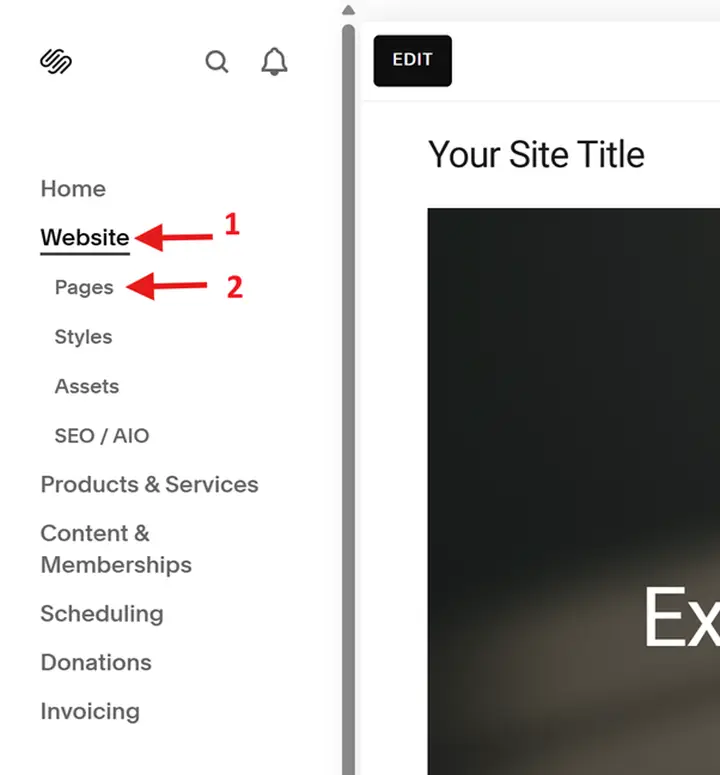
In the left-hand menu, click Website > Pages
Step 2: Open the pages Editor
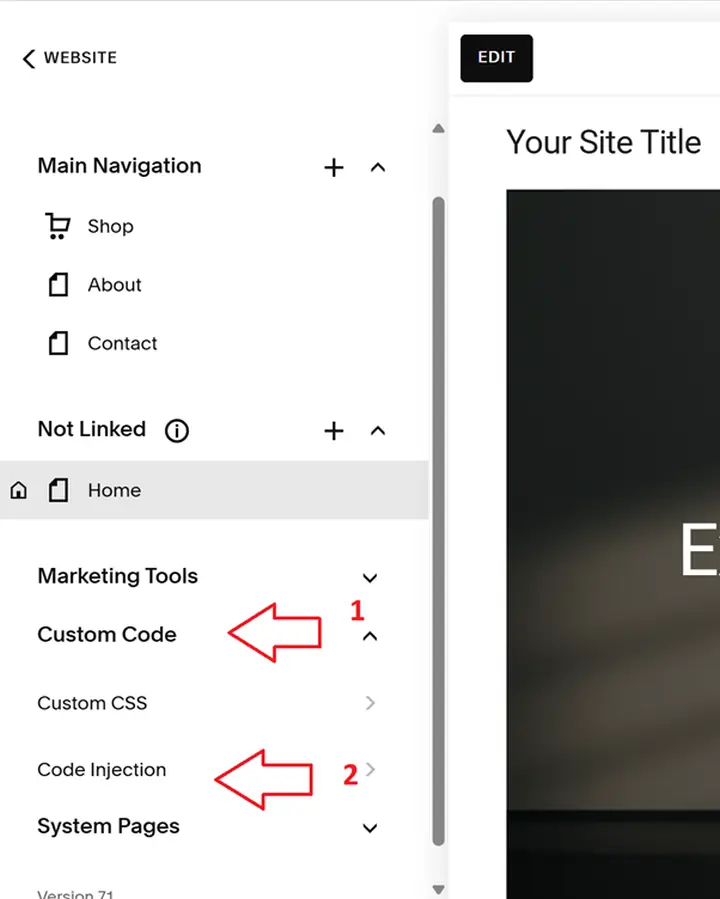
Scroll down and select:
Custom Code -> Code Injection
This section lets you add scripts that load across your entire website.
Step 3: Open Code Injection Settings
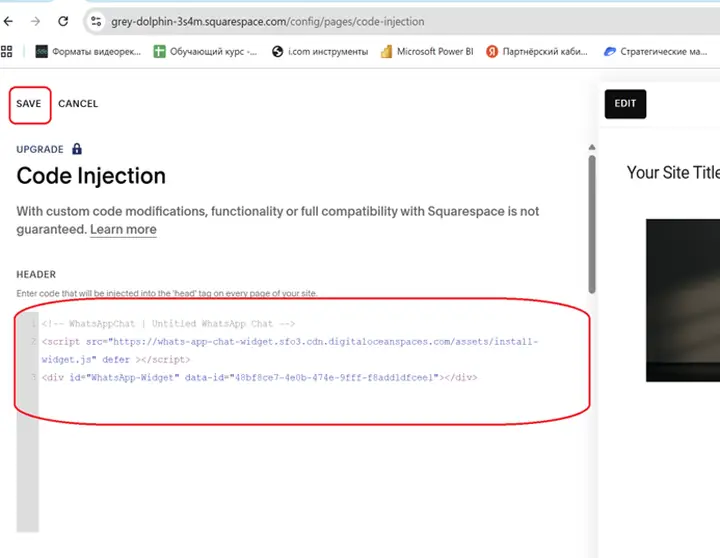
In the Code Injection panel:
1. Paste your WApp Chat installation code into the Header field
2. Click Save
The widget will now load on all pages automatically.
Step 4: Paste Your Widget Code
You're All Set 🎉
Your WhatsApp chat widget is now active across your Squarespace website. Visitors can reach you instantly via WhatsApp - directly from any page.
You can customize the widget's appearance, position, and behavior anytime in your WApp Chat dashboard.
Need help with setup? Our support team will gladly assist you.
support@wapp-chat-widget.com