So you have a Google Sites page and you want people to contact you via WhatsApp without any problems? We will help you. 😊 Add a live WhatsApp chat button to your Google Sites page in under 3 minutes.
Before you begin, make sure you've created your widget and copied the installation code from your WApp Chat dashboard
Step-by-step guide for getting the code of the Wapp Chat widget
So you've got a Google Sites page, and you want people to reach you on WhatsApp without any hassle? Great call. 😊
The good news? It takes about 2-3 minutes. No coding skills required, I promise. Just grab your widget code from your Wapp account, paste it into Google Sites, and you're done.
Let me walk you through it step by step.
Install to the single page
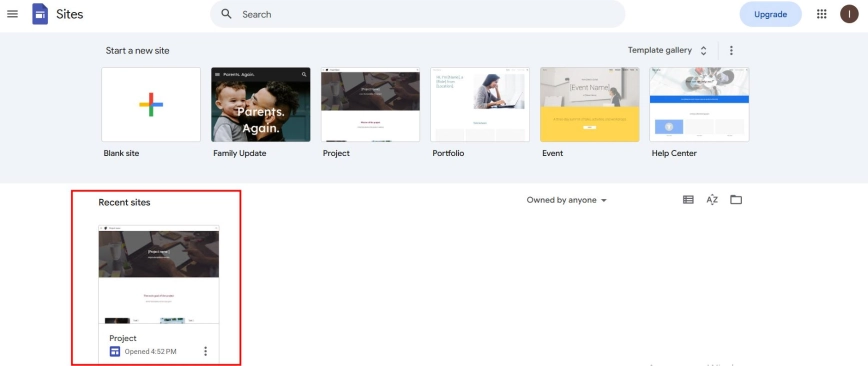
Log in to your Google account and open Google Sites. Select the website you want to work on.
Step 1: Open the Google Website Editor
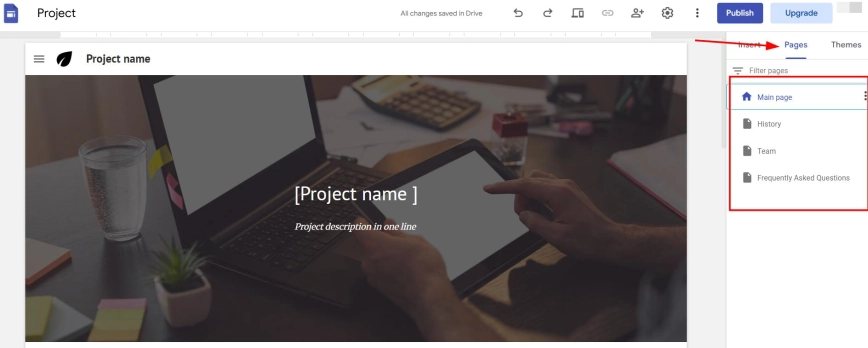
On the right side of the editor you will see the "Pages" section. Click on it and select the specific page where you want to place the WhatsApp button.
Step 2: Select which page you want to place the widget on
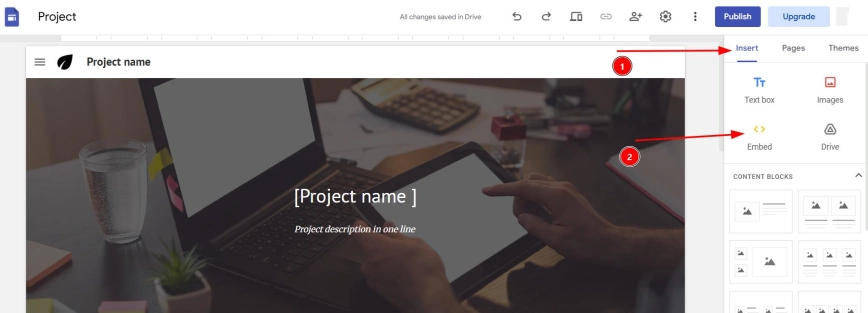
To get into the page editor, click "Insert" and then select the "Embed" button.
Step 3: Open the block for the future widget
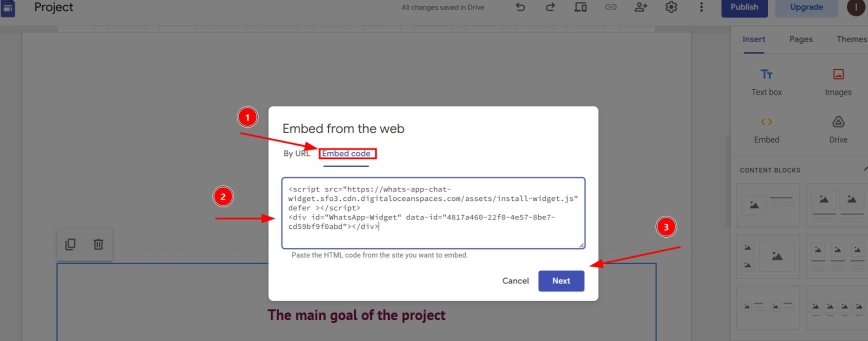
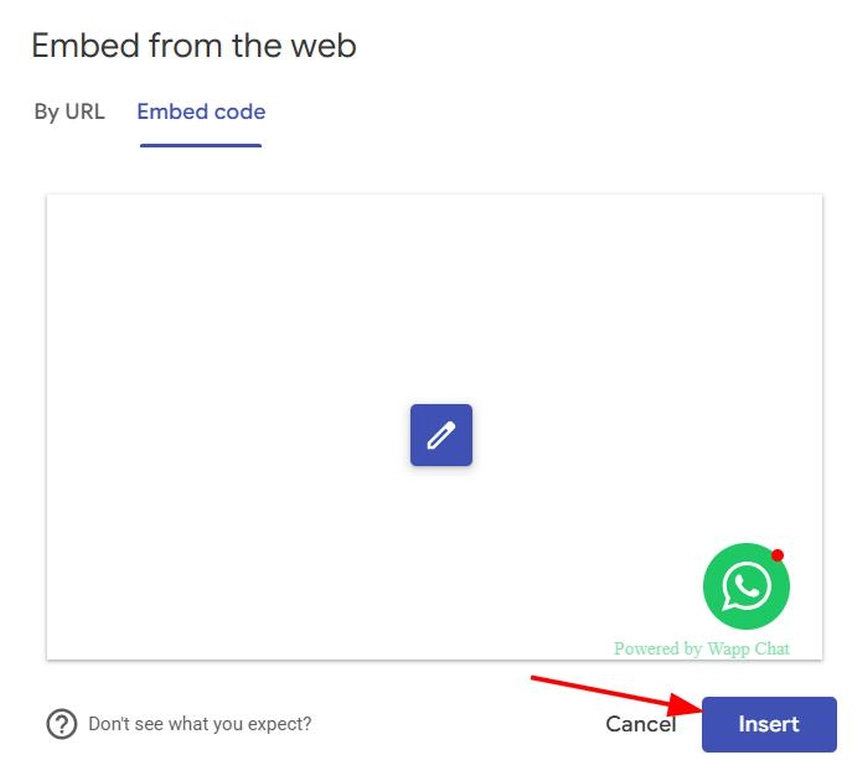
Click on "Ember code" and add the copied code (right-click → Paste or Ctrl+V / Cmd+V).
Step 4: Insert the code like a pro
And you're done! 🎉
Seriously, that's all there is to it. Your WhatsApp widget is now live on Google Sites.
If you need a help, please contact us.
support@wapp-chat-widget.com