If you want to add WhatsApp chat to your website, chances are you are not looking for another technical project. You are looking for something simple, fast, and reliable — a tool that helps visitors reach you without dragging you into plugin conflicts, custom scripts, or a weekend spent digging through documentation.
That is exactly why the phrase no code WhatsApp chat widget matters.
For a lot of website owners, especially beginners, “chat widget” sounds useful right up until setup gets messy. One tool needs a developer. Another expects you to edit templates manually. A third claims to be beginner-friendly, then drops you into a dashboard full of settings that feel more like a SaaS ops panel than a simple website add-on.
A real no-code widget should do the opposite. It should shorten the path from “I want WhatsApp on my site” to “it is live.”
And that is where WApp Chat fits naturally into the picture. You do not need to be a developer, a webmaster veteran, or someone deeply fluent in site builders to use it. The whole point is that it is approachable: pick a template, customize the widget, copy the code, and go live without the usual tech headaches.
What is a no code WhatsApp chat widget?
A no-code WhatsApp chat widget is a floating chat button or chat bubble that lets website visitors start a WhatsApp conversation with you, without requiring you to build custom functionality from scratch.
You may also hear people call it:
- a click-to-chat widget;
- a floating WhatsApp bubble;
- a website chat launcher;
- a plug-and-play WhatsApp chat button.
The “no-code” part is what makes the difference. Instead of hiring a dev, tweaking JavaScript by hand, or messing with backend logic, you use a ready-made builder, generate the widget, and drop the snippet into your site.
That makes it a much better fit for:
- small business owners;
- freelancers;
- agencies launching client sites;
- ecommerce stores;
- landing page builders;
- anyone who wants a fast win without extra implementation drag.
Why no-code matters more than people think
People often talk about no-code like it is just a convenience feature. In reality, it is a time saver and a momentum saver.
When setup is easy, the widget actually gets launched. When setup is annoying, it stays in the backlog.
That sounds obvious, but it is a real pattern. Plenty of useful site improvements never ship because they require just enough technical effort to become “something we’ll do later.”
A no-code WhatsApp widget removes that blocker. It lets you move fast, test quickly, and improve your contact flow without turning a small task into a mini development sprint.
That matters even more if you are working in:
- WordPress;
- Shopify;
- Wix;
- Webflow;
- Squarespace;
- HTML sites;
- or any builder that supports code injection or custom HTML.
You do not need to be an expert in website building to get value from a tool like this. If you can copy and paste a snippet into the right place, you are already most of the way there.
Where WApp Chat makes sense
This is the point in the article where the product fit becomes pretty clear.
If your goal is to launch a no code WhatsApp chat widget without dealing with custom dev work, WApp Chat is built for that exact use case. The setup is straightforward, the flow is beginner-friendly, and the widget does not try to turn itself into a bloated support suite.
It is a practical option for site owners who want:
- a clean setup flow;
- a live builder feel instead of confusing configuration;
- easy design and message editing;
- a widget that looks professional on the page;
- a tool that works without serious technical knowledge.
It is also a good point to let readers try the builder directly.
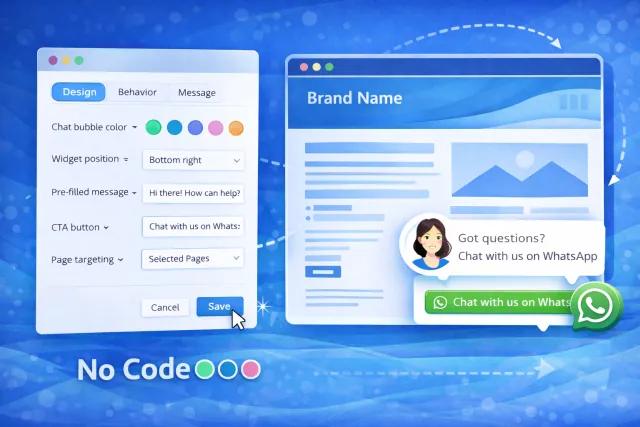
Suggested image placement: wide rectangular image showing a simple live builder on one side and the finished WhatsApp widget preview on the other, with an obvious no-code feel.
No-code does not mean no control
One of the common misconceptions in this space is that “easy to use” means “bare-bones.”
That is not how people actually want to work.
Most website owners do not want infinite complexity, but they do want enough control to make the widget feel on-brand and intentional. They want to tune the basics without opening a code editor.
That usually means being able to adjust things like:
- greeting text;
- CTA copy;
- colors and visual style;
- widget position;
- page targeting;
- timing and behavior;
- pre-filled messages.
This is where WApp Chat feels especially practical. It is no-code, but it still gives you room to shape the experience. So instead of shipping a generic floating bubble that looks like it was slapped on at the last minute, you can make the widget feel like it belongs to the site.
That is a small detail, but it matters. Visitors notice when something feels polished.
Why a no-code WhatsApp widget can help conversions
A chat widget does not magically fix conversion problems by itself. What it can do is remove friction from the moment a visitor is ready to ask a question.
That moment is where a lot of leads are won or lost.
Someone lands on your pricing page and wants clarification. Someone is checking a service page and needs one fast answer. Someone is browsing on mobile and does not want to fill out a full contact form. Someone is comparing vendors and wants a quick gut-check before bouncing.
This is where a WhatsApp widget often outperforms slower contact flows.
A clean click-to-chat option can help because it:
- gives visitors a familiar channel;
- reduces the effort needed to reach out;
- feels more immediate than email;
- works especially well on mobile;
- creates a lower-friction path to conversation.
That is why a lot of webmasters treat it as a conversion assist rather than just a support feature. It is not only about customer service. It is also about catching intent while it is still warm.
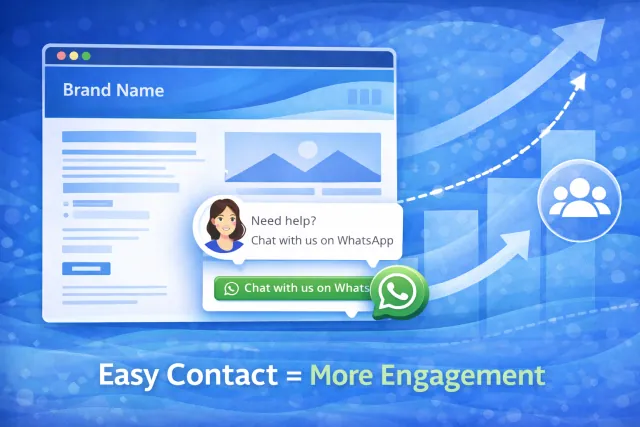
Suggested image placement: wide rectangular image showing a website with a WhatsApp widget, a simple upward trend line, and a visual cue that easier contact can lift engagement.
Best places to use it
A classic beginner mistake is putting the widget everywhere by default.
Sometimes that is fine. Often it is not.
A more thoughtful rollout is to place the widget where conversation intent is already strong. For most websites, that means pages like:
- pricing pages;
- service pages;
- product detail pages;
- contact pages;
- booking pages;
- top-performing landing pages.
This makes the widget feel more contextual and less noisy. It also keeps the page cleaner on parts of the site where users are still in browse mode.
If you want the widget to work smarter, not just louder, page targeting matters.
Common mistakes beginners make
Even a no-code tool can underperform when the setup is sloppy. The usual mistakes are pretty predictable:
- using generic welcome copy that says nothing useful;
- showing the widget instantly on every page;
- choosing styling that clashes with the site;
- letting the widget overlap with other sticky UI;
- ignoring the mobile view;
- treating setup like a one-and-done task instead of something worth tweaking.
The good news is that these are easy fixes.
A small change to the greeting, timing, or placement can make the widget feel much less intrusive and much more helpful. That is the kind of low-effort UX improvement that often pays off quickly.
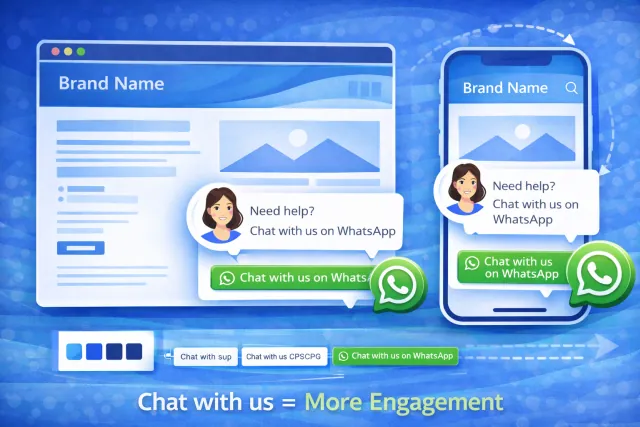
Suggested image placement: wide rectangular image showing the same brand-matched widget on desktop and mobile, with clean placement and a polished CTA.
Who should use a no-code WhatsApp chat widget?
This type of widget is especially useful for people who want a direct line to visitors without adding support stack complexity.
It is a strong fit for:
- small business websites;
- consultants and freelancers;
- local service companies;
- coaches and creators;
- ecommerce stores handling pre-sale questions;
- agencies that want a fast deploy across client sites.
If your visitors often have one quick question before they convert, WhatsApp is a very natural channel. And if you want to add it without turning the task into a dev ticket, no-code is the obvious route.
Final thoughts
If you are looking for a no code WhatsApp chat widget, the biggest win is not just that it is easy to install. The bigger win is that it lets you improve your contact flow without needing to become a technical expert.
That is what makes WApp Chat appealing. It keeps the setup approachable, the widget flexible enough to personalize, and the whole experience simple enough for people who do not live inside website builders every day.
For many site owners, that is exactly the right balance: no-code, but not low-control; easy to launch, but still polished; simple enough for beginners, but good enough to look professional on a real business site.
And in practice, that is what matters. A chat widget that actually goes live, fits the site, and gives visitors an easier way to reach you is far more useful than a “powerful” solution that never gets implemented.
Frequently Asked Questions
What is a no code WhatsApp chat widget?
It is a ready-made WhatsApp chat tool that you can add to your website without building custom functionality from scratch. Usually, you configure it in a builder and install it with a simple copy-paste snippet.
Do I need developer skills to use a WhatsApp widget?
No. A good no-code widget is designed for beginners and usually requires only minimal technical knowledge, such as pasting a code snippet into your website or builder.
Is a no-code widget still customizable?
Yes. Most good options let you change key elements like the greeting, CTA text, colors, position, and behavior without touching code.
Where should I place a WhatsApp chat widget?
It usually performs best on high-intent pages like pricing, service, product, contact, and booking pages.